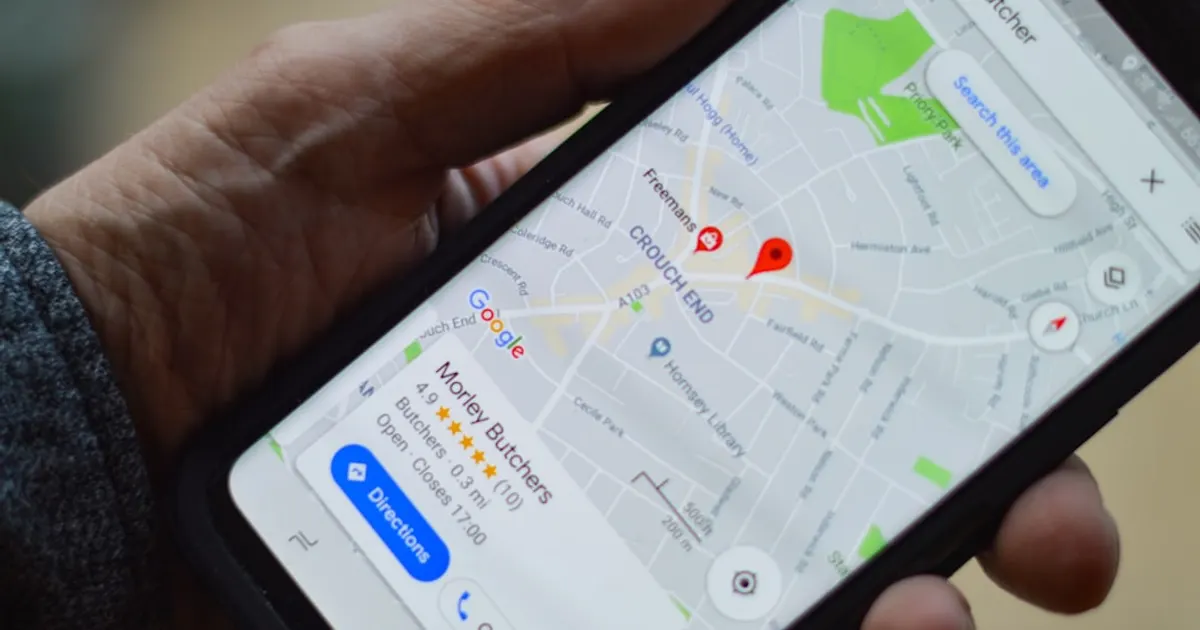
Your Google Business Profile is the single most important listing for your contracting business. It controls how you appear in Google Maps, the local 3-pack, and Local Services Ads. A complete, active GBP listing generates 3 to 5 times more calls than an incomplete one. Setting it up correctly takes about 2 hours. Maintaining it takes 15 minutes per week.
When a homeowner searches "plumber near me" or "HVAC repair [city]," Google decides which 3 businesses to show in the local pack. That decision is based heavily on your Google Business Profile. Not your website. Not your Google Ads. Your GBP.
According to BrightLocal's 2025 local search study, 87% of consumers used Google to evaluate a local business in the last year. If your profile is incomplete, outdated, or inactive, you are losing calls to the competitor who keeps theirs current.
This guide covers everything: setup, categories, photos, reviews, posts, and the 2026 changes that affect how contractors rank.
How to Set Up Your Google Business Profile
If you already have a profile, skip to the optimization section below. If you are starting from scratch, here is the setup process.
Step 1: Claim or create your listing. Go to business.google.com and search for your company name. If it exists, claim it. If not, create a new listing.
Step 2: Verify your business. Google will send a postcard, call, or email with a verification code. Postcard verification takes 5 to 14 days. Phone and email verification happens instantly if available for your business type.
Step 3: Complete every field. This is where most contractors stop at 60% and wonder why they do not rank. Google rewards completeness. Fill in every single field: business name, address, phone, hours, service area, website, description, services, and attributes.
Step 4: Add your service area. Contractors typically serve a radius, not a single address. Add every city, zip code, or county you serve. Google uses this to determine which searches trigger your listing. Do not add areas you cannot realistically dispatch to.
Choosing the Right GBP Categories
Your primary category is the most important ranking factor you control on your profile. Get this wrong and you show up for the wrong searches.
Primary category: Pick the most specific option that matches your core service. "HVAC Contractor" is better than "Heating Contractor" if you do both heating and cooling. "Plumber" is better than "Plumbing Service" for residential plumbing companies.
Secondary categories: Add every relevant category. Google lets you add up to 10. An HVAC company might add: HVAC Contractor (primary), Air Conditioning Contractor, Heating Contractor, Furnace Repair Service, Duct Cleaning Service.
Common categories by trade:
| Trade | Primary Category | Secondary Categories |
|---|---|---|
| HVAC | HVAC Contractor | Air Conditioning Contractor, Heating Contractor, Furnace Repair Service |
| Plumbing | Plumber | Plumbing Service, Drain Cleaning Service, Water Heater Repair |
| Electrical | Electrician | Electrical Installation Service, Lighting Contractor, Generator Installation |
| Landscaping | Landscaper | Lawn Care Service, Tree Service, Landscape Designer |
Each trade has its own GBP nuances. If you run an HVAC company, your seasonal category focus shifts between heating and cooling. For a full breakdown of how categories affect your Google Maps ranking, read our guide on how to rank number one in Google Maps.
Adding Services to Your Profile
Google added a dedicated "Services" section that lets you list every service with a description. This section feeds directly into how Google matches your profile to search queries.
Do not skip this. Add every service you offer with a short description (150 to 300 characters) that includes the service name and your city. For an HVAC company, your services list might include:
- AC repair and diagnostics
- Furnace installation and replacement
- Ductwork repair and sealing
- Heat pump installation
- Indoor air quality assessment
- Preventive maintenance agreements
- Emergency 24/7 service
Each service description is indexed by Google. Write them for humans, but include the keywords homeowners use when searching.
Photo Strategy That Ranks and Converts
Google's algorithm uses photo quality, quantity, and recency as ranking signals. Profiles with more than 100 photos get 520% more calls than profiles with fewer than 5, according to Google's own data.
What to upload:
- Completed work: Before and after shots. A clean install. A finished project.
- Your team: Technicians in uniform, at job sites, next to branded trucks.
- Your trucks and equipment: Shows professionalism and scale.
- Your office or warehouse: If you have one, show it. It builds trust.
What to avoid:
- Stock photos. Google can detect them and they hurt your ranking.
- Blurry phone photos. Invest 10 seconds in framing the shot.
- Photos with no people or context. A blank furnace is less compelling than a tech installing one.
Upload frequency: Add 3 to 5 new photos per week. Recency matters. A profile with 200 photos from 2023 ranks lower than one with 80 fresh photos from the last 6 months.
2026 update: Google now uses visual search as a ranking factor. Photos with clear, well-lit images of completed work get indexed for visual search queries. This means a homeowner searching on Google Lens for "EV charger installed in garage" could find your profile through your photos.
Google Posts: How Often and What to Write
Google Posts are short updates that appear on your profile. They expire after 7 days (except event posts), which means you need to post weekly to stay active.
Post frequency: One to two posts per week. Consistency beats volume.
What to post:
- Seasonal offers: "$79 AC tune-up this month"
- Completed project highlights: "Just finished a full system replacement in [city]"
- Tips: "3 signs your furnace needs attention before winter"
- Hiring announcements: Shows growth and credibility
- Community involvement: Local sponsorships, charity work
2026 update: Google now supports scheduled posts through the GBP dashboard. You can batch-create a month of posts and schedule them to publish weekly. This eliminates the biggest excuse contractors have for not posting.
What not to post: Generic filler content, posts with no call to action, or anything that reads like it was written by a robot. Keep it short (150 to 300 words), include one photo, and end with a CTA like "Call now" or "Schedule service."
Review Strategy That Builds Momentum
Reviews are the second most important ranking factor for the local pack, right behind your primary category. More reviews, higher ratings, and recent reviews all signal to Google that your business is active and trusted. According to Whitespark's 2023 Local Search Ranking Factors survey, review signals (quantity, velocity, diversity, and keywords) account for approximately 17% of the local pack ranking algorithm.
How to Get More Reviews
Ask after every completed job. Not some jobs. Every job. Use an automated text and email sequence that fires 1 to 2 hours after the technician marks the job complete. A CRM like GoHighLevel or ServiceTitan can trigger this automatically.
Make it easy. Send a direct link to your Google review page. Do not send them to your GBP profile and expect them to find the review button. The direct URL shortens the process to two taps.
Follow up once. If they opened the text but did not leave a review, send one follow-up 48 hours later. More than one follow-up feels pushy and hurts the relationship.
Target: 5 to 10 new reviews per month minimum. Your goal is consistent velocity, not a burst of 50 reviews in one week (which can trigger Google's spam filter).
How to Respond to Reviews
Respond to every review. Positive and negative.
Positive reviews: Thank them by name. Mention the specific service if they did. Keep it under 3 sentences.
Negative reviews: Respond within 24 hours. Acknowledge the issue. Take it offline ("Please call us at [number] so we can make this right"). Never argue in a public review. Other homeowners are reading your response to decide if they trust you.
For a full review strategy with templates, read our contractor review guide.
The Q&A Section Most Contractors Ignore
Your GBP has a Q&A section where anyone can ask a question and anyone can answer. Most contractors ignore it completely. That is a mistake.
Seed your own questions. Log into a personal Google account (not your business account) and ask the 5 to 10 most common questions your office gets: "Do you offer free estimates?" "What areas do you serve?" "Do you work weekends?" Then answer them from your business account.
This does three things: it controls the information visible on your profile, it adds keyword-rich content Google can index, and it reduces friction for homeowners who are comparing contractors.
Tracking Calls and Leads from Your GBP
You need to know how many calls your profile generates. Otherwise you are guessing at ROI.
GBP Insights: The built-in dashboard shows calls, direction requests, website clicks, and message volume. Check it weekly.
Call tracking: Use a dedicated tracking number on your GBP listing to separate GBP calls from website calls and ad calls. This gives you clean attribution. Tools like CallRail or the tracking built into GoHighLevel make this simple.
UTM parameters: Add UTM tags to your website URL in GBP so Google Analytics can track GBP traffic separately. Format: ?utm_source=google&utm_medium=organic&utm_campaign=gbp
Common GBP Mistakes That Cost Contractors Calls
Inconsistent NAP. Your business Name, Address, and Phone number must match exactly across your GBP, website, and every directory listing. "Watson & Co. Marketing" is different from "Watson and Co Marketing" in Google's eyes. Inconsistency confuses the algorithm and hurts your ranking. Research from Moz's local ranking factor analysis identifies NAP consistency across the web as one of the top 5 factors influencing local organic rankings.
Wrong primary category. A plumber listed as "Plumbing Service" instead of "Plumber" shows up for different searches. Test which primary category drives more impressions in your market.
No service area defined. If you serve a 30-mile radius but only list your office city, you will not appear for searches in neighboring towns.
Stale profile. No new photos in months. No posts. No recent reviews. Google interprets inactivity as irrelevance. Your competitor who posts weekly and adds photos from every job site will outrank you. Pairing your GBP activity with a reputation management system keeps reviews flowing and your listing fresh. Watson & Co.'s Apex AI handles GBP posts, photo refresh, and review responses on autopilot for $799 a month, so your profile never goes stale.
Keyword stuffing your business name. Adding "Best HVAC Contractor in Dallas" to your business name violates Google's guidelines. Google suspends profiles for this. Use your real, legal business name. The SEO for home services strategy handles keyword targeting through legitimate channels.
Your Google Business Profile should be your best salesperson. If it is not generating calls every week, something is wrong. Let us audit it for free.
Get Your Free Growth AuditFrequently Asked Questions About Google Business Profile for Contractors
How long does it take to verify a Google Business Profile?
Verification by postcard takes 5 to 14 business days. Phone and email verification, when available, happens instantly. Some businesses qualify for video verification, which takes 1 to 3 days for Google to review. Do not create a second listing while waiting for verification. That creates a duplicate that is harder to fix later.
How many photos should contractors add to their Google Business Profile?
Aim for at least 50 to 100 photos to start, then add 3 to 5 new photos every week. Profiles with over 100 photos get significantly more calls than profiles with fewer than 5. Upload photos of completed work, your team on job sites, branded trucks, and equipment. Never use stock photos.
How often should contractors post on Google Business Profile?
Post once or twice per week. Google Posts expire after 7 days, so weekly posting keeps your profile active. Share seasonal offers, completed project photos, tips, and hiring updates. In 2026, Google supports scheduled posts, so you can batch-create a month of content at once.
Can I use a PO Box for my Google Business Profile address?
No. Google does not allow PO Boxes or virtual office addresses. If you are a service-area business (you go to the customer), you can hide your physical address and list only your service area instead. Most contractors use this option. You still need a real address for verification, but homeowners will only see the areas you serve.
How do I get more Google reviews for my contracting business?
Ask after every completed job using an automated text and email sequence. Send a direct link to your Google review page 1 to 2 hours after the technician marks the job done. Follow up once after 48 hours if they have not left a review. Target 5 to 10 new reviews per month with consistent velocity rather than large bursts.